When copying and pasting text from other websites and content sources, our system may have issues with hidden HTML and source code, especially when you are working on older browsers. There are two possible workarounds:
1) Ignore formatting and use "Paste as text," an option in the text block's menu bar as shown: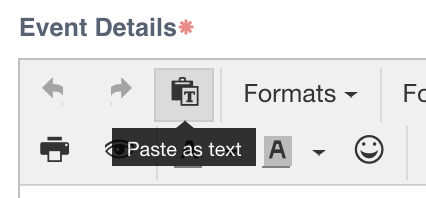
2) Use a mobile device (tablet or phone) to copy/paste your content.
If you've tried both methods and are still unable to paste large blocks of text, please first save your event as a draft, send a message to us at support@donationmatch.com with your organization's account information (name and email address associated with the account OR referral code) and the content you wish to add, and we can paste an unformatted version for you.